
Are you tired of dealing with hard water problems like spots on your dishes, dry skin, or clogged pipes? Your Northstar water softener can help fix that but only if you set the hardness correctly.
Getting this setting right is key to making sure your system works efficiently and protects your home. You’ll discover exactly how to find and adjust the hardness setting on your Northstar water softener so you can enjoy softer water every day.
Keep reading to learn the simple steps that will save you time, money, and frustration.
Water Hardness Basics
Water hardness affects how water feels and reacts in your home. It can cause spots on dishes and make soap less effective. Understanding water hardness helps you set your Northstar water softener properly. This way, you get better water and protect your pipes and appliances.
Water hardness comes from minerals dissolved in water. These minerals can build up and cause problems over time. Knowing what causes hardness and how to measure it is important for good water care.
What Causes Hard Water
Hard water contains minerals like calcium and magnesium. These come from rocks and soil as water flows through them. The more minerals in water, the harder it is. Hard water feels rough on skin and hair. It also leaves white spots on sinks and tubs.
Measuring Water Hardness
Water hardness is measured in parts per million (ppm) or grains per gallon (gpg). Low numbers mean soft water. High numbers show hard water. Testing kits or professional services can measure hardness. This helps you set your water softener to the right level. Correct settings save money and improve water quality.
Credit: northstarwater.zendesk.com
Northstar Water Softener Features
The Northstar Water Softener is designed for easy use and reliable performance. It offers clear settings to control water hardness. This system helps protect your pipes and appliances from damage caused by hard water.
Its features focus on simple operation and effective softening. The design suits many home sizes and water conditions. Understanding these features helps you use the system correctly for best results.
Key Components
The Northstar Water Softener has several important parts. A resin tank holds tiny beads that trap hard minerals. A brine tank stores salt used for cleaning the beads. A control valve manages the water flow and regeneration cycle.
Each component works together to remove hardness from water. The control panel lets you set hardness levels easily. This setup ensures the system runs smoothly and efficiently.
How It Softens Water
Hard water passes through the resin tank first. The beads inside attract calcium and magnesium ions. These minerals cause water hardness and build up inside pipes. The resin beads swap these ions with sodium or potassium ions.
This process removes the hardness and softens the water. Over time, the beads become full of minerals. The system then uses salt from the brine tank to clean the beads. This step restores their ability to soften water again.
Setting northstar water softener Hardness Levels
Setting hardness levels on your Northstar water softener is key for soft water. The right setting protects your pipes and appliances. It also improves the water quality for daily use. This guide helps you find and adjust the hardness level easily.
Finding Your Water Hardness
Water hardness measures calcium and magnesium in water. You can find this info from your local water supplier. Test kits are also available for home use. These kits give a quick and clear reading of hardness. Knowing your water hardness helps set the softener correctly.
Adjusting The Softener Settings
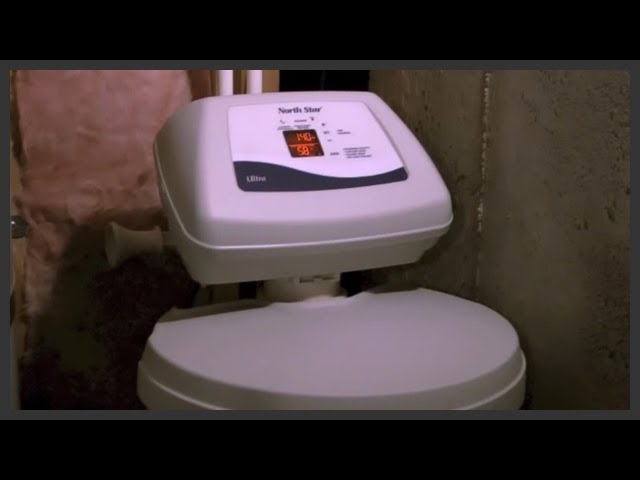
Adjust the softener based on your water hardness number. Most Northstar models have a dial or digital control. Turn the dial to match your water’s hardness level. For digital models, enter the hardness number using buttons. Set the number carefully to avoid too soft or too hard water. Proper adjustment saves salt and extends softener life.
Optimizing Softener Performance
Optimizing the performance of your Northstar water softener ensures soft water flows consistently. Proper settings and care reduce salt waste and prevent common issues. This keeps your system running smoothly and extends its lifespan.
Understanding how to adjust hardness settings and follow best practices improves water quality. Small changes in maintenance and salt use make a big difference in efficiency and cost.
Salt Usage Tips
Use high-quality salt designed for water softeners. Avoid rock salt that contains impurities. Fill the brine tank regularly but do not overfill. Check salt levels once a month to keep a steady supply. Clean the tank yearly to remove salt bridges or clumps. These steps help the softener work without extra salt waste.
north star water softener Maintenance Practices
Clean the resin tank every few years to remove buildup. Inspect the system for leaks or worn parts frequently. Program hardness settings based on your water test results. Regenerate the softener only when needed to save water and salt. Follow the manufacturer’s instructions for all maintenance tasks. Proper care avoids breakdowns and keeps water soft.
Troubleshooting Common north star water softener problems
Northstar water softener troubleshooting helps keep it working well. Problems can stop the system from softening water properly. Identifying and fixing these issues saves time and money. Below are solutions for two frequent problems users face.
Softener Not Regenerating
The softener must regenerate regularly to remove hardness minerals. If it stops regenerating, water hardness increases. Check the timer settings first. The clock should match your local time. A wrong time can delay regeneration.
Inspect the salt level in the brine tank. Low salt prevents regeneration. Also, clean the brine tank if salt bridges or clumps form. These block salt from dissolving.
Look at the control valve and motor. Dirt or damage here can stop the cycle. Resetting the softener may help restart regeneration. If north star water softener problems persist, call a technician.
Incorrect Hardness Setting Effects
Setting the wrong hardness level causes poor water quality. A low setting lets hard minerals pass through. This makes water feel rough and can cause scale buildup.
A high hardness setting wastes salt and water. The softener regenerates too often. This increases costs and wears out parts faster.
Test your water hardness with a kit before setting the softener. Adjust the hardness level to match test results. This ensures the system works efficiently and your water stays soft.
Credit: www.youtube.com
Most Asked FAQs
What Is The Ideal Hardness Setting For Northstar Water Softeners?
The ideal hardness setting matches your water’s hardness level in grains per gallon. Test your water first, then set your Northstar softener accordingly for optimal performance.
How Do I Adjust Hardness Settings On Northstar Water Softener?
Access the control panel, enter the hardness setting mode, and input your water’s hardness value. Save the changes to ensure the system softens water effectively.
Why Is Correct Hardness Setting Important For Water Softeners?
Proper hardness setting prevents scale buildup and extends appliance lifespan. It ensures efficient salt usage and delivers soft, clean water throughout your home.
Can Incorrect Hardness Settings Damage My Northstar Water Softener?
Yes, incorrect settings can cause poor water quality and system strain. Too low settings reduce softening; too high waste salt and may damage the unit.