
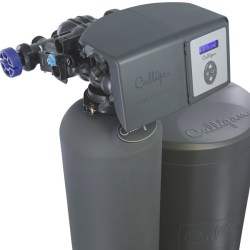
If your Culligan water softener isn’t working quite right, the reset button might be the simple fix you need. Knowing how and when to use this button can save you time and hassle.
You’ll discover exactly what the Culligan water softener reset button does, why it’s important, and the easy steps to reset your system properly. Keep reading to make sure your water stays soft and your system runs smoothly.
Why Reset Your Culligan Water Softener
Resetting your Culligan water softener is a simple step to keep it working well. Sometimes the system needs a quick reset to fix small problems. This helps the softener run smoothly and keeps your water soft. Knowing why to reset can save time and avoid bigger issues later.
Common Issues Requiring Reset
One common problem is when the softener stops working correctly. It might not soften water as it should. Another issue is when the system shows error messages.
Sometimes, the timer or settings get mixed up. Resetting can clear these errors fast. It also helps after a power outage or maintenance work. A reset often fixes these small glitches without extra help.
Benefits Of Resetting
Resetting your Culligan water softener brings many benefits. It restores proper function quickly. You get soft water again without delay. The system runs more efficiently, saving energy and salt. It also helps extend the life of the unit. Resetting keeps the softener in good shape. It prevents small problems from becoming big ones.
Credit: www.culligan.com
Locating The Reset Button
Finding the reset button on a Culligan water softener is key to solving many common issues. This button helps restart the system and clear simple errors fast.
Knowing its location saves time and avoids confusion during maintenance. The reset button’s position varies by model. Recognizing it is simple once you know what to look for.
Where To Find It On Different Models
On many Culligan models, the reset button sits on the control panel. It often appears near the display screen or the buttons used for settings.
For some older models, check the side or back of the unit. On digital models, the reset button may be smaller and recessed to avoid accidental pressing. For timer-based models, it might be near the timer dial or inside the battery compartment.
Identifying The Button
The reset button is usually small and round. It may be red, black, or white, depending on the model. Often, it is labeled clearly with “Reset.” Sometimes, it is a tiny hole that requires a paperclip to press.
The button stands out from other controls by its shape or color. Always check the user manual for specific details about your model’s reset button.
Step-by-step Reset Process
Resetting your Culligan water softener is simple. It helps fix common issues and keeps the system working well. Follow these clear steps to reset your device safely and effectively.
Preparing Your Water Softener
Start by turning off the power to the softener. Unplug it from the wall outlet. Locate the control panel on the device. Clear any water or debris around the softener. This makes the reset process easier and safer.
Performing The Reset
Find the reset button on the control panel. Press and hold the button for about 10 seconds. Release the button when the display changes. The system will restart and reset its settings. Wait for the softener to finish the reset cycle.
Post-reset Checks
Plug the softener back into the power source. Check the control panel for normal display. Listen for any unusual sounds. Make sure water flows smoothly from your taps. Resetting is complete when all functions return to normal.
Troubleshooting Reset Failures
Troubleshooting reset failures on a Culligan water softener can be frustrating. The reset button should restart the system and clear minor issues. Sometimes, pressing the button does not work as expected. This section helps identify common problems and simple solutions.
When The Reset Button Doesn’t Work
First, check if the water softener has power. No power means the reset button won’t respond. Look for loose plugs or tripped breakers. Next, the button itself might be stuck or damaged. Dirt or corrosion can block proper contact. Press the button firmly but avoid forcing it.
Another cause is an internal system fault. The control board or sensors may fail, preventing reset. In such cases, the device may need professional repair. Also, confirm the system is in the correct mode for reset. Some models require specific steps before pressing the reset button.
Alternative Fixes To Try
Start by unplugging the water softener for a few minutes. This can clear minor errors in the system. After plugging it back in, try the reset button again. Check the user manual for a manual override or reset procedure. Many models have extra ways to reset the device.
Inspect the water softener’s brine tank and salt level. Low salt can cause the system to malfunction. Clean any visible dirt or debris around the control panel. Reset failures sometimes result from simple maintenance issues. If problems persist, contact Culligan support for advice.
Maintaining Your Culligan Water Softener
Maintaining your Culligan water softener keeps it working well for years. Regular care helps avoid costly repairs and keeps water soft. Simple steps can improve the system’s life and efficiency.
Knowing how to care for your water softener is key. Clean parts and avoid problems for smooth operation. Check the system often and reset it when needed.
Regular Cleaning Tips
Clean the brine tank every few months. Use mild soap and water for cleaning. Remove salt buildup to prevent blockages. Rinse the tank well before refilling it.
Check the resin beads inside the tank. Clean them using a resin cleaner if needed. This keeps softening power strong. Clean parts gently to avoid damage.
Preventing Common Problems
Monitor salt levels and refill on time. Low salt causes poor softening. Avoid using the wrong salt type. Use only Culligan recommended salt for best results.
Reset the system using the reset button after cleaning or salt refill. This helps the softener start fresh. Watch for error codes and fix issues quickly. Keep the system dry and protected from weather.

Credit: www.youtube.com
Frequently Asked Questions
How Do I Reset A Culligan Water Softener?
To reset, press and hold the reset button on the control panel for 3 seconds. This restarts the system and clears minor errors. Always check the user manual for model-specific instructions before resetting.
When Should I Use The Culligan Reset Button?
Use the reset button after power outages, error codes, or system malfunctions. It helps restore normal operation without needing a full system reboot. Regular maintenance can reduce the need for resets.
Will Resetting Affect Water Softener Settings?
No, resetting usually does not erase your programmed settings. It clears temporary errors or restarts the unit. Always verify settings post-reset to ensure proper system function.
Can A Reset Fix Culligan Softener Error Codes?
Yes, a reset often clears minor error codes and restores functionality. Persistent errors may require professional servicing or troubleshooting specific issues.