
Have you ever noticed strange numbers or letters flashing on your water softener’s display and wondered what they mean?
Those error codes are your water softener’s way of telling you something needs attention.
Ignoring them can lead to hard water problems, higher bills, or even damage to your system.
But don’t worry understanding these codes is easier than you think. You’ll discover what the most common water softener error codes mean and how you can fix them quickly.
Prompt attention to these codes not only prolongs the lifespan of the unit but also ensures that water quality remains at its best.
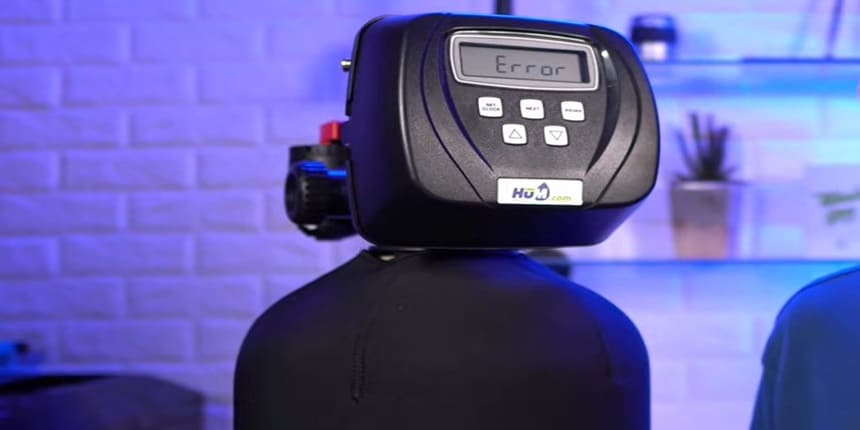
common problems with Water Softener Error Codes
Water softeners often display error codes to signal problems. Each code points to a specific issue that needs attention.
#1 Salt Level Alerts
Salt is essential for softening water. Low salt levels trigger alerts on many systems. This warning stops the softener from working poorly.
Checking salt regularly prevents this error. Keeping salt topped up ensures smooth operation.
#2 Water Flow Issues
Water flow errors happen when water moves too slow or stops.
Clogged pipes or valves cause this problem. The softener may stop working or show an error code.
Cleaning pipes and checking valves often fix these issues fast.
#3 Water Softener Regeneration Failures
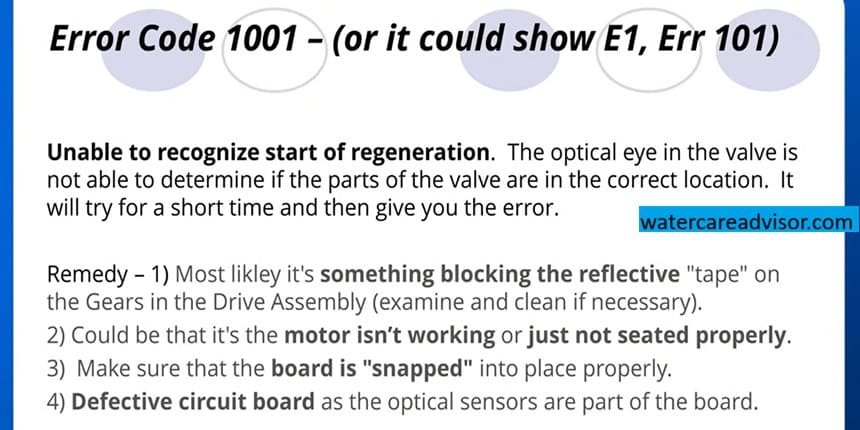
Regeneration is the process that refreshes the softener’s resin. If this fails, the water stays hard.
Common causes include timer problems or blocked brine lines. Fixing these keeps the softener working well and water soft.
#4 Sensor Malfunctions
Sensors monitor the system’s performance. Faulty sensors send wrong signals or error codes.
Dirt, damage, or wear can cause sensor issues. Cleaning or replacing sensors restores proper function quickly.
How To Fix water softener Salt Problems
Salt problems often cause water softener error codes. These issues stop your softener from working well. Fixing salt problems can be quick and easy.
Step 1: Refilling And Cleaning Salt Tanks
Check the water softener salt level in the tank. Low salt causes errors and poor softening. Fill the tank with the right salt type. Avoid using old or damp salt.
Clean the tank once or twice a year. Remove salt buildup and dirt. Use warm water and a sponge. This keeps the salt fresh and the softener working well.
Step 2: Check The Salt Bridges
Salt bridges are hard crusts that form inside the tank. They block salt from dissolving in water.
Tap the sides of the tank gently to check for bridges. Break the bridge carefully with a broom handle or stick.
Do not use sharp tools. Salt bridges cause many common error codes.
Step 3: Preventing Salt Mushing
Salt mushing happens when salt turns into a thick sludge. This sludge blocks the water softener salt tank. Avoid overfilling the tank with salt. Use high-quality salt pellets to reduce mushing.
Regular cleaning stops salt mush from building up. Keep the tank dry and clean to prevent mush problems. This helps avoid error codes caused by salt mush.
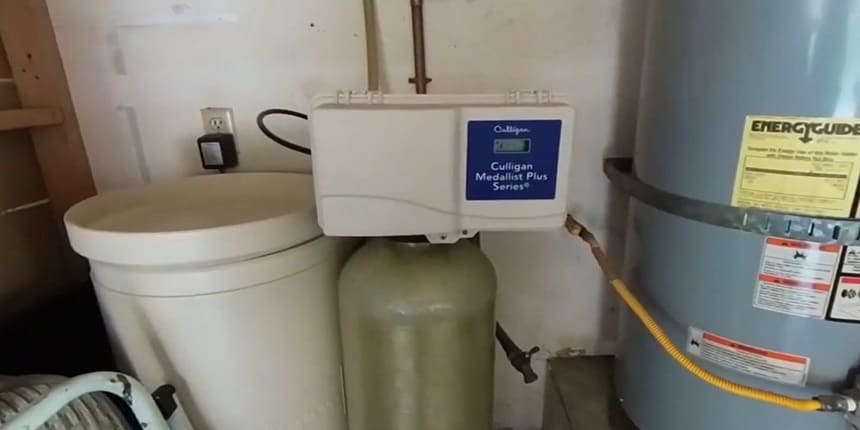
Resolving Water Flow Errors
Water flow errors in water softeners can stop your system from working properly. These errors happen when water does not move through the system as it should.
Start by checking key parts that control water flow. Then clear any blockages and check the water pressure. These steps often solve the issue quickly and easily.
1. Inspect Inlet And Outlet Valves
Look at the inlet and outlet valves first carefully. These valves control water entering and leaving the softener. Make sure they are open and not stuck.
Check for cracks or damage on the valves. Replace them if you find any problems. Clean any dirt or debris around the valves to keep water flowing freely.
2. Clear Clogged Pipes
Pipes can get clogged with minerals or dirt over time. This stops water from moving through the system.
Use a pipe cleaner or a small brush to clear blockages.
Flush the pipes with clean water after cleaning. This removes loose debris and helps water flow smoothly. Regular cleaning prevents future clogs and flow errors.
3. Test softener Water Pressure
Water pressure affects how well your softener works. Use a pressure gauge to check the pressure at your softener.
Low pressure can cause flow errors. Check for leaks or problems in your plumbing system. Fix any issues to restore proper pressure.
High pressure can also cause damage. Use a pressure reducer if needed to keep pressure at safe levels.

Credit: www.softenerparts.com
Fix The water softener Regeneration Errors
Regeneration errors in a water softener can stop the system from working properly. These errors often cause hard water to flow through your pipes.
A) Reset The Control Valve
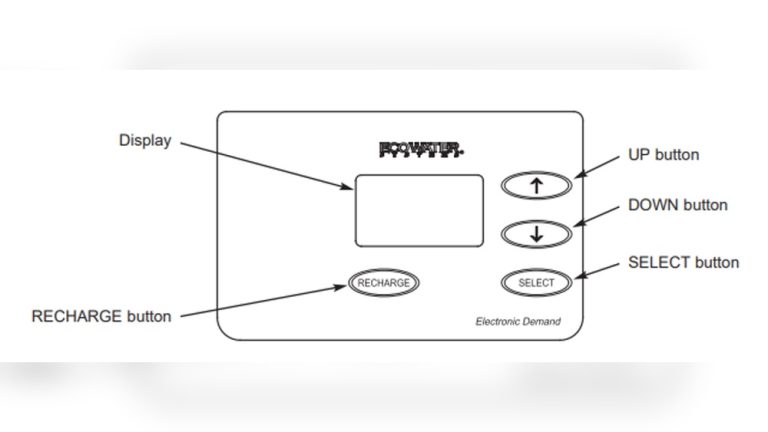
The control valve manages the regeneration cycle. Sometimes, it needs a reset to clear errors if water softener will not regenerate.
Turn off the power to the softener first. Wait for a minute, then turn it back on.
This simple step often restores normal function. Check the display for error messages after reset. Repeat if the error stays.
B) Adjust water softener Regeneration Setting
Wrong settings can trigger regeneration errors.
Adjust the timer or hardness level on the control panel. Set the timer to match your water usage.
Ensure the hardness level matches your water test results. This adjustment helps the softener regenerate correctly. Use the manual for proper setting instructions.
C) Replace Worn Components
Old parts can cause regeneration failures.
Inspect the motor, gears, and seals for wear. Replace any damaged or worn parts with new ones.
Clean the resin tank and brine tank regularly. Good maintenance prevents many common errors. Use parts recommended by the manufacturer for best results.
Handling Sensor And Electrical Issues
Sensor and electrical problems often cause water softener error codes. These issues stop the system from working properly.
Some sensor problems happen because of dirt or misalignment. Electrical issues often come from loose or broken wires.
1: Cleaning And Recalibrating Sensors
Sensors detect water quality and system status. Dirt or buildup on sensors causes wrong readings. Clean sensors gently with a soft cloth and mild soap. Avoid harsh chemicals that can damage sensors.
Recalibrate sensors after cleaning. Proper calibration ensures accurate water softener softening performance.
2: Checking Wiring Connections
Loose or damaged wires cause electrical errors. Switch off power before checking wires.
Look for loose, broken, or corroded connections. Tighten or replace wires as needed.
Check connectors and terminals for corrosion. Clean contacts with a small brush if dirty. Proper wiring keeps the system stable and error-free.
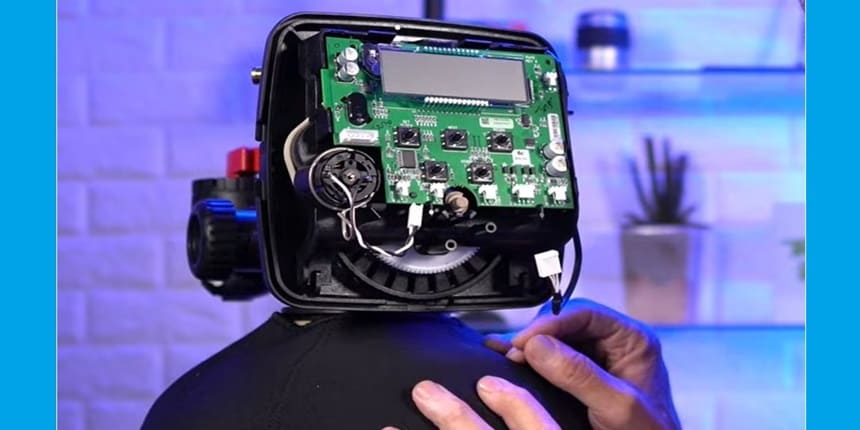
Preventive Water Softener Error Codes Tips
Preventive maintenance helps avoid common water softener error codes. It keeps safe from problems with water softener systems and working smoothly. Simple steps can extend the life of your water softener. They also reduce the need for costly repairs.
#1: Regular System Inspection
Check your water softener at least once a month.
- Look for leaks, salt levels, and unusual noises.
- Clean the brine tank if you see buildup.
- Inspect the control panel for error messages.
Early detection helps fix problems fast.
#2: Using Quality Salt
Choose high-quality salt for your water softener. It prevents salt bridges and clogs in the tank.
Use salt pellets or crystals made for softeners. Avoid rock salt, which contains impurities.
Good salt eliminate water softener is not softening problems and improves system efficiency with water quality.
What Do Common Water Softener Error Codes Mean?
Common error codes indicate issues like,
- Low salt levels
- Regeneration failure
- Sensor faults
Each code guides specific troubleshooting steps to fix the problem quickly and maintain softener efficiency.
How Can I Reset My Water Softener Error Codes?
Most water softeners reset error codes or water softener troubleshooting codes by pressing a reset button or unplugging the unit for a few minutes.
Check your model’s manual for exact instructions to clear errors safely and restore normal function.
Why Is My Water Softener Showing A Salt Error Code?
A salt error code often means two reason,
- Low salt in the brine tank
- Salt bridging
Regularly check salt levels and break up salt bridges to keep your softener running smoothly.
Can Water Softener Error Codes Affect Water Quality?
Yes, error codes often signal malfunctions that reduce softening effectiveness and indicate problems with water softener systems.
Ignoring them can lead to hard water issues like scale buildup and poor water taste. That’s why these error code must be fix.
The End
Understanding water softener error codes helps keep your system working well. These codes tell you what needs fixing or adjusting. Quick action can prevent bigger problems. Regular checks save time and money. Always refer to the user manual for code meanings.
Simple steps often solve common errors. Keep your water softener running smoothly for better water quality. Stay alert to error signals and act fast. This knowledge ensures comfort and convenience in your home.