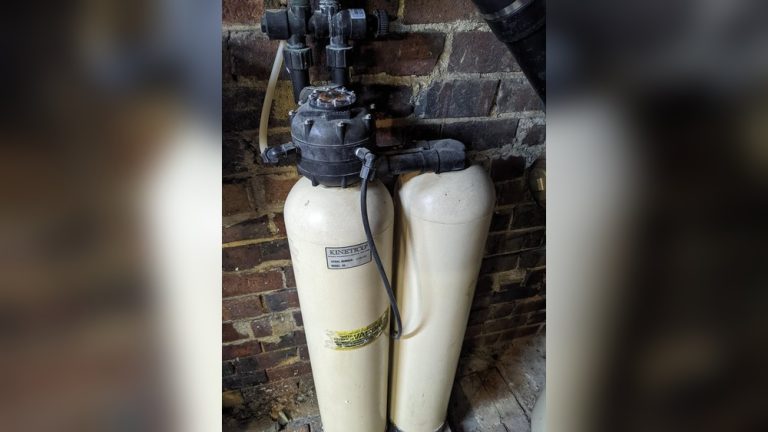

Is your water softener display not working, leaving you frustrated and unsure about what to do next? You rely on that screen to monitor your water system, so when it goes blank or acts up, it can feel like a big problem.
Don’t worry—this issue is more common than you think, and fixing it might be easier than you expect. You’ll discover simple steps to troubleshoot and solve your water softener display problems quickly. Keep reading to regain control and ensure your water stays soft and clean.
Common Display Issues
Water softener displays help users check and control the system easily. When these displays stop working, it can cause confusion and disrupt the softening process. Understanding common display issues can help solve problems quickly.
This section covers typical problems like no power, flickering screens, and unresponsive buttons. Knowing these issues helps keep your water softener running smoothly.
No Power On Display
The display may stay dark even when the unit is on. This issue often happens due to power supply problems. Check if the unit is plugged in correctly and the outlet works. Sometimes, a blown fuse or tripped circuit breaker causes no power. Internal wiring faults can also stop the display from lighting up.
Flickering Or Dim Screen
A flickering or dim screen makes it hard to read the display. This problem may result from loose connections or worn-out display components. Low voltage or a weak power source can also cause flickering. Dirt or moisture inside the display panel may reduce brightness. Cleaning and tightening connections often fix this issue.
Unresponsive Buttons
Buttons on the display may stop working or respond slowly. This issue usually happens due to dirt or moisture under the buttons. Wear and tear from frequent use can damage button contacts. Resetting the system or cleaning the button area often restores function. In some cases, replacement of the control panel is needed.

Credit: www.youtube.com
Basic Troubleshooting Steps
When your water softener display stops working, basic checks can help fix the issue. These steps often solve common problems quickly. You do not need special tools or skills to try them. Follow these simple actions to get your system back on track.
Check Power Supply
Start by making sure the unit is plugged in properly. Look for any loose plugs or damaged cords. Confirm the power outlet works by testing it with another device. A lack of power is a common reason for a blank display.
Inspect Wiring Connections
Turn off the power before inspecting wires. Check wires inside the control panel for loose or broken connections. Tighten any loose wires carefully. Damaged wires may need replacement to restore display function.
Reset The System
Try resetting the water softener to clear minor errors. Unplug the unit from the power source. Wait about 30 seconds, then plug it back in. This simple reset can fix display glitches and restore normal operation.
Battery And Backup Solutions
Battery and backup solutions are key to keeping your water softener display working. A dead battery can cause the screen to go blank or stop responding. Backup power options help maintain display functions during power cuts. These solutions ensure your water softener runs smoothly without interruption.
Replacing The Display Battery
Most water softener displays use small batteries to power the screen. Check your user manual to find the battery type. Turn off the water softener before replacing the battery. Carefully remove the old battery and insert a new one. Match the battery’s positive and negative sides correctly. After replacement, turn the unit back on and check the display. A fresh battery often restores normal display function quickly.
Using Backup Power Options
Backup power options keep the display running during power outages. Some units have built-in rechargeable batteries. These batteries activate when the main power fails. Portable power banks can serve as external backups. They connect via USB or power adapters. Choose a backup with enough capacity for your model. Backup solutions prevent display loss and help maintain settings. Testing backup power ensures it works when needed.
Software And Settings Checks
Software and settings problems often cause the water softener display to stop working. These issues can be fixed by checking and adjusting the device’s software and settings. Simple steps like changing the display brightness or restoring factory settings can solve the problem.
Adjusting Display Brightness
The display might be too dim to see clearly. Adjusting the brightness can make the screen visible again. Use the control panel or settings menu to find brightness options. Increase the brightness slowly until the display becomes easy to read.
Sometimes the brightness is set very low by mistake. Fixing this is quick and does not need special tools. Check the user manual if you cannot find the brightness setting. Brightness adjustment can help the display work better in different lighting conditions.
Restoring Factory Settings
Restoring factory settings can fix software glitches. This step resets the water softener to its original state. It removes any wrong settings that may cause display issues.
Before restoring, note down important settings. You will need to enter them again later. To restore, find the reset option in the settings menu. Follow the instructions carefully to avoid errors.
This reset often solves display problems caused by software bugs. It is a useful step if other fixes do not work. After reset, test the display to see if it works properly.
When To Call A Professional
Knowing when to call a professional for a water softener display problem can save time and money. Some issues are simple and fixable at home. Others may signal deeper problems needing expert care. Understanding the signs helps you decide the right time to seek help.
Signs Of Internal Damage
Check for cracked or burned parts inside the display. Look for unusual smells or sounds from the unit. If the display stays blank despite power, internal damage may exist. Frequent error codes or resetting also indicate trouble. Avoid opening the unit yourself if you see these signs.
Warranty And Support Options
Review your water softener’s warranty before any repairs. Many brands offer free repairs or replacements under warranty. Contact the manufacturer’s support for guidance and authorized service centers. Using professional help prevents voiding the warranty. Keep your warranty documents handy for quick reference.

Credit: www.youtube.com
Preventive Maintenance Tips
Preventive maintenance helps keep your water softener display working well. Small steps stop problems before they start. Regular care saves time and money. It also extends the life of the device.
Below are two key tips to maintain your water softener display.
Regular Cleaning Of Display
Dust and dirt can block the screen and buttons. Clean the display often with a soft cloth. Use a dry or slightly damp cloth only. Avoid harsh chemicals or abrasive materials. These can damage the screen and reduce visibility.
Turn off the unit before cleaning. This prevents accidental settings changes or damage. Clean gently to avoid scratching the surface. A clean display shows clear information and works better.
Avoiding Moisture Exposure
Moisture can harm the display and internal parts. Keep the water softener in a dry place. Avoid placing it near sinks or water pipes. Use a cover if your unit is in a humid area.
Check for leaks or spills regularly. Fix any water issues quickly. Excess moisture can cause the display to stop working or show errors. Dry conditions help the display last longer and stay accurate.

Credit: www.reddit.com
Frequently Asked Questions
Why Is My Water Softener Display Not Turning On?
The display may not turn on due to power issues, faulty wiring, or a blown fuse. Check the power source and connections first. Resetting the unit can help. If problems persist, contact a professional technician to inspect the device.
How Do I Reset A Water Softener Display?
To reset, locate the reset button or unplug the unit. Wait for 30 seconds and plug it back in. This often clears minor glitches and restores the display. Refer to your user manual for model-specific reset instructions to avoid damage.
Can A Dead Battery Cause Display Failure?
Yes, a dead or weak backup battery can cause the display to stop working. Replace the battery with a compatible one as per the manufacturer’s guidelines. This ensures the display functions properly even during power outages.
What Maintenance Prevents Water Softener Display Issues?
Regular cleaning, timely salt refills, and checking electrical connections help maintain display functionality. Avoid exposure to moisture and extreme temperatures. Following the manufacturer’s maintenance schedule reduces display malfunctions and extends the unit’s lifespan.
Conclusion
A water softener display not working can cause confusion and worry. Check the power supply and connections first. Resetting the system often fixes small glitches. Keep your user manual nearby for guidance. Regular maintenance helps avoid future problems. Don’t ignore warning signs or unusual behavior.
Small steps save you time and money later. Stay calm and follow simple troubleshooting tips. Your water softener will work properly again soon.